Science / Grade 8
Read a list by position
Learning goal: Distinguish positions from values, trace replacement and append operations, and check indexing boundaries.
Before you start: Follow ordered instructions and recognize a stored number. This lesson explicitly uses one-based positions before comparing a separate zero-based model.
Read or print this lesson What to practiceThe video could not load. The transcript is still available below.
Next: your worksheet
Programming Basics: Read and Update a List
Checking sign-in...
Read the transcript
Saved reading place
Video transcript and practice. Reading or printing does not count as playback time or an assessed grade.
1. A position is not its value
Video: 0:00
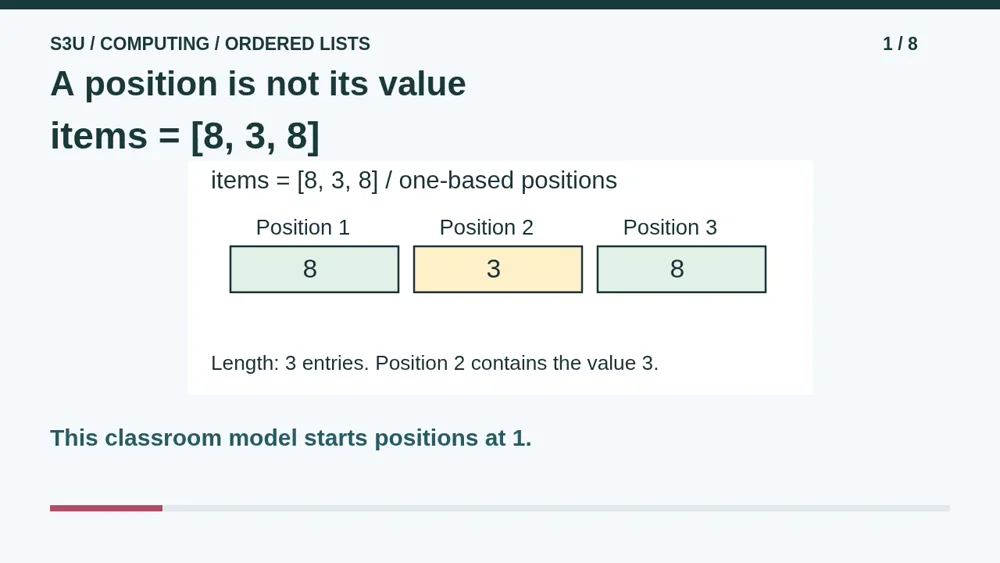
Imagine three numbered storage slots. Their labels tell us where to look; their contents tell us what value is there. Our classroom list is eight, three, eight, in that order. We number its positions one, two and three. Position two contains three, not two. A slot label is an address inside this list, not an instruction to store that same number. These are paper examples with a stated indexing convention.
2. Read the selected slot
Video: 0:32
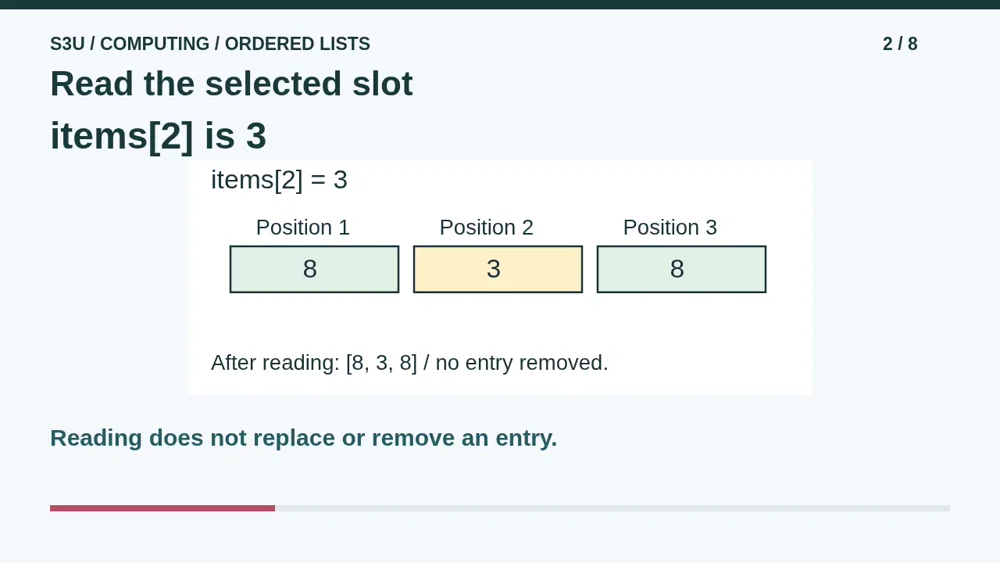
Items at position two means read the second slot. Its value is three. The list still contains eight, three, eight afterward. Reading does not erase the value or move it out of the list. Notice that positions one and three both contain eight. Repeated values are allowed in this model, but the positions are different. A list does not panic just because two guests arrive wearing the same number.
3. Replace or append?
Video: 1:02
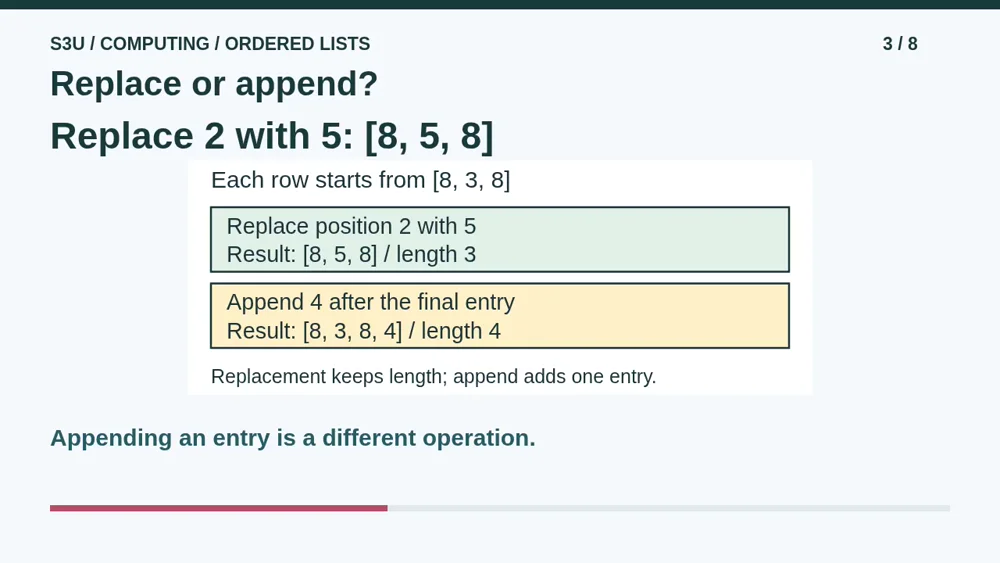
Set items at position two to five replaces the old three with five. The result is eight, five, eight, and the length is still three. Compare a separate example that starts again with the original list. Appending four puts a new entry after the last one, giving eight, three, eight, four. That length is four. Replacement changes an existing slot; append adds a new slot. Do not combine these separate examples into one trace.
4. Check the indexing convention
Video: 1:35
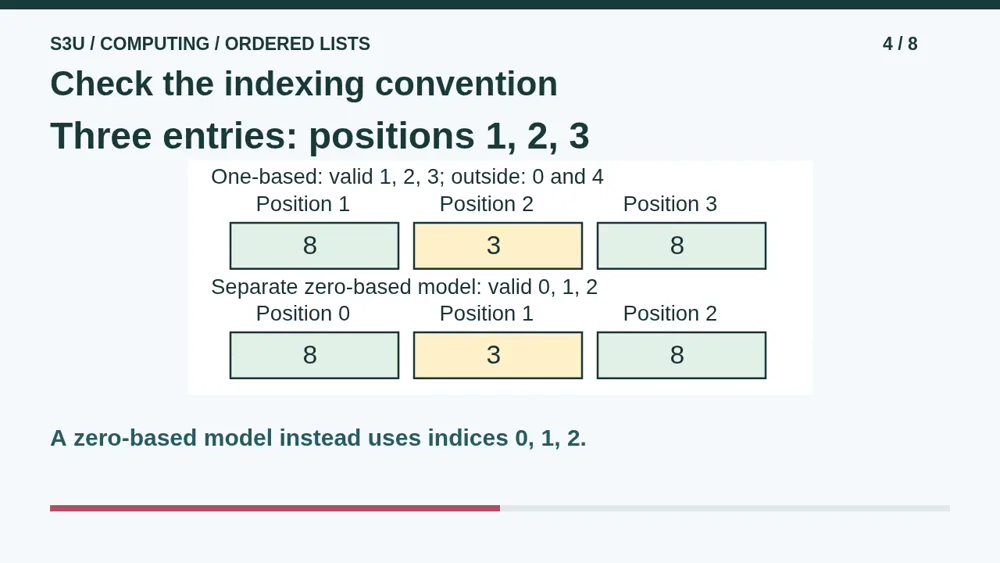
With our one-based convention and three entries, valid positions are one, two and three. Position zero and position four are outside this list; they do not secretly contain zero. A zero-based convention would label the same three slots zero, one and two. Then the first value would be at index zero. The contents and length can stay the same while the labels change. Real languages have their own indexing and out-of-range behavior, so check their rules.
5. Pause: trace two replacements
Video: 2:09
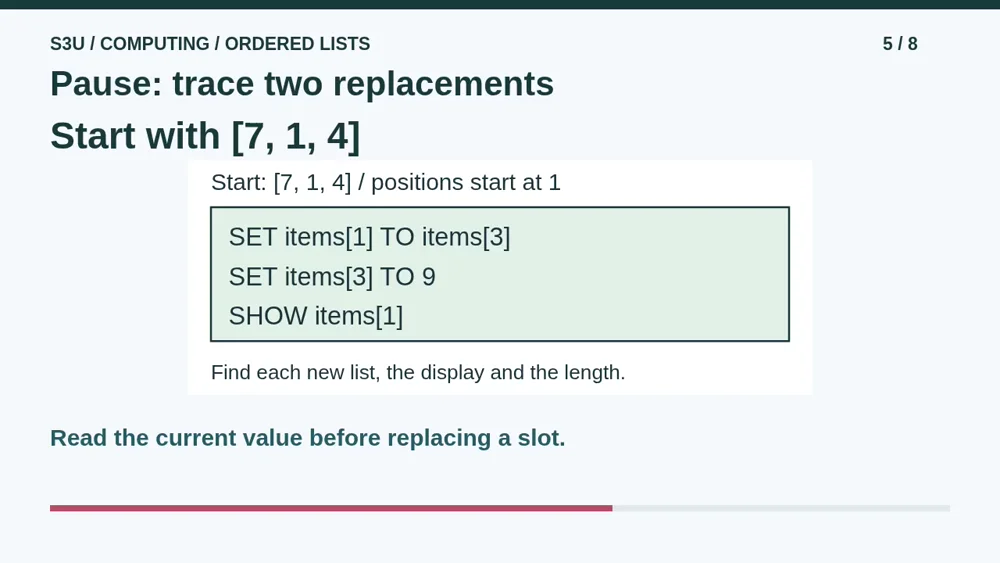
Start fresh with seven, one, four, using positions beginning at one. First, set items at position one to items at position three. Next, set items at position three to nine. Finally, show items at position one. Pause and draw the list after each instruction. What number is displayed, and how long is the final list? Each instruction reads its right-hand value before replacing the chosen slot. These number values are copied, not permanently linked.
6. Check each saved value
Video: 2:45
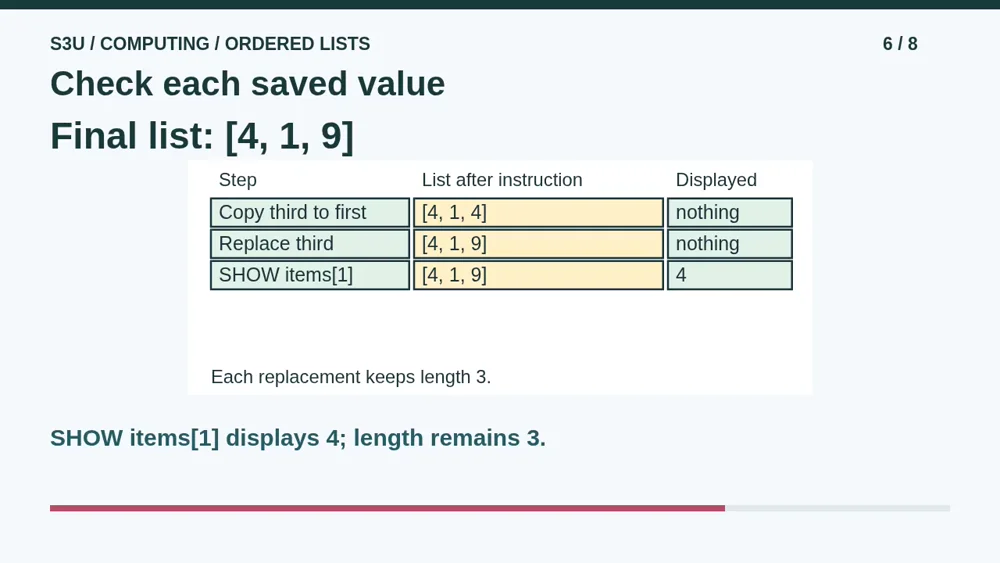
At the first instruction, position three contains four. Copying that number into position one makes four, one, four. The next instruction changes position three to nine, giving four, one, nine. Position one still contains four, so the show instruction displays four. Both replacements keep the length at three. A later change to the source slot does not travel backward and change the number copied earlier. This example uses simple number values, not shared objects.
7. Order carries information
Video: 3:21
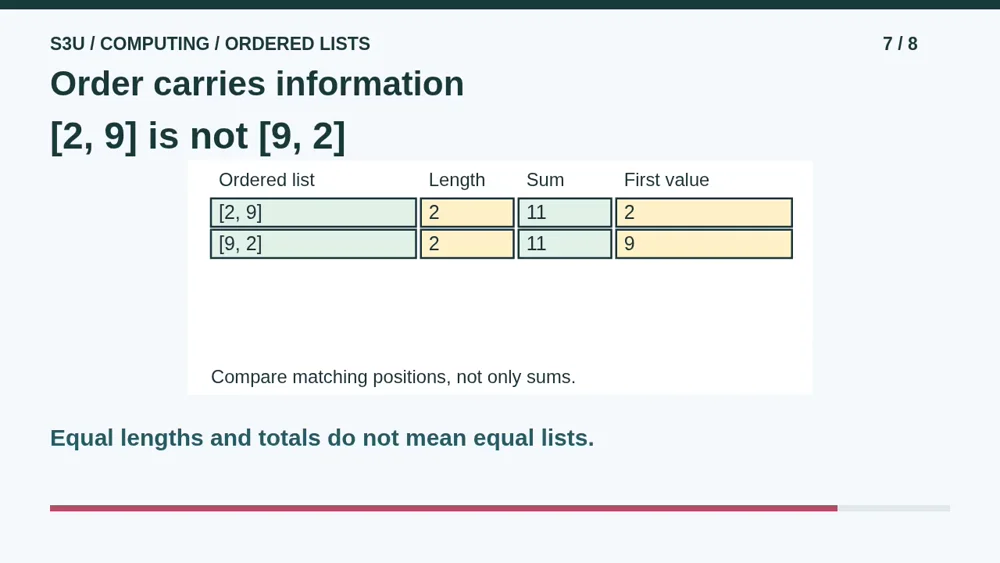
Fun fact: two lists can have the same length and the same total but different ordered contents. Two, nine and nine, two both contain two entries and total eleven. Their first values are different. If the list records the order of two deliveries, swapping the entries changes that order even though the total stays the same. To compare these ordered number lists, compare the value at every matching position, not only the length or sum.
8. Continue to the worksheet
Video: 3:53
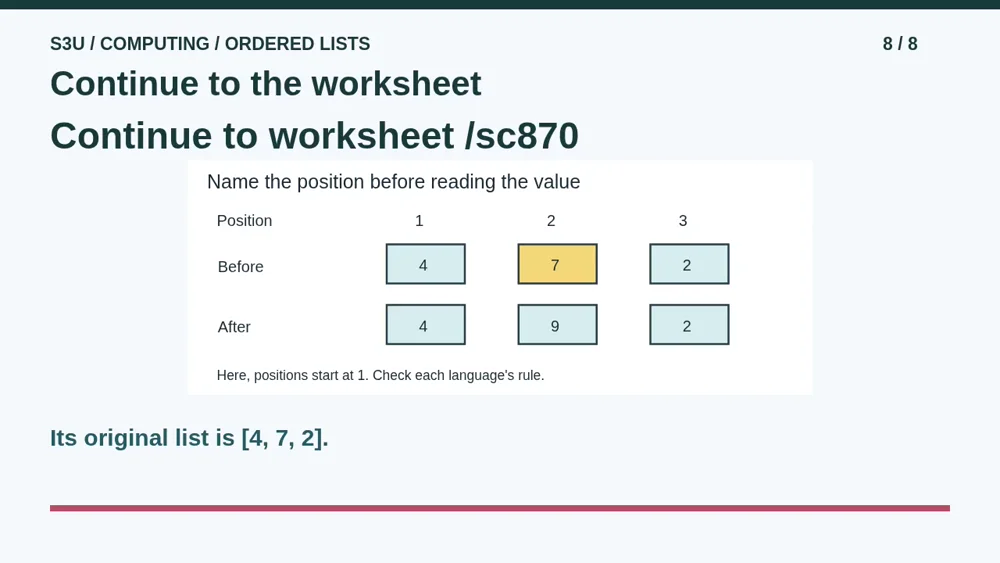
Continue to the worksheet below. It begins with four, seven, two, so use its values instead of copying our answers. State the indexing convention, identify the chosen position, read its current value and trace each update. Check whether an operation replaces an entry or changes the length. The worksheet also asks about zero-based indexing. These are small paper models, not a complete list library, and no code needs to be run on your device.
Show your understanding
You can point, explain aloud, draw or write.
- Read and replace a value by position, distinguish replacement from append and track the resulting length.
- Trace copied number values without treating them as permanently linked, and check valid positions under the stated indexing convention.
Try it yourself
Pause to trace two replacements in the fresh list [7, 1, 4]. Find the displayed value and explain why its length stays three.
Continue to the worksheet using its own list and stated positions. This paper model does not define every programming language or shared-object behavior.
Next: your worksheet
Programming Basics: Read and Update a Listhttps://s3u.com/sc870
Lesson: https://s3u.com/lessons/read-a-list-by-position