Science / Grade 7
Follow a function call
Learning goal: Trace an input through a function, keep returned and stored values separate, and identify what is actually displayed.
Before you start: Add small whole numbers and read a variable name as a stored value. The lesson introduces its own classroom pseudocode.
Read or print this lesson What to practiceThe video could not load. The transcript is still available below.
Next: your worksheet
Programming Basics: Call a Function
Checking sign-in...
Read the transcript
Saved reading place
Video transcript and practice. Reading or printing does not count as playback time or an assessed grade.
1. A definition waits for a call
Video: 0:00
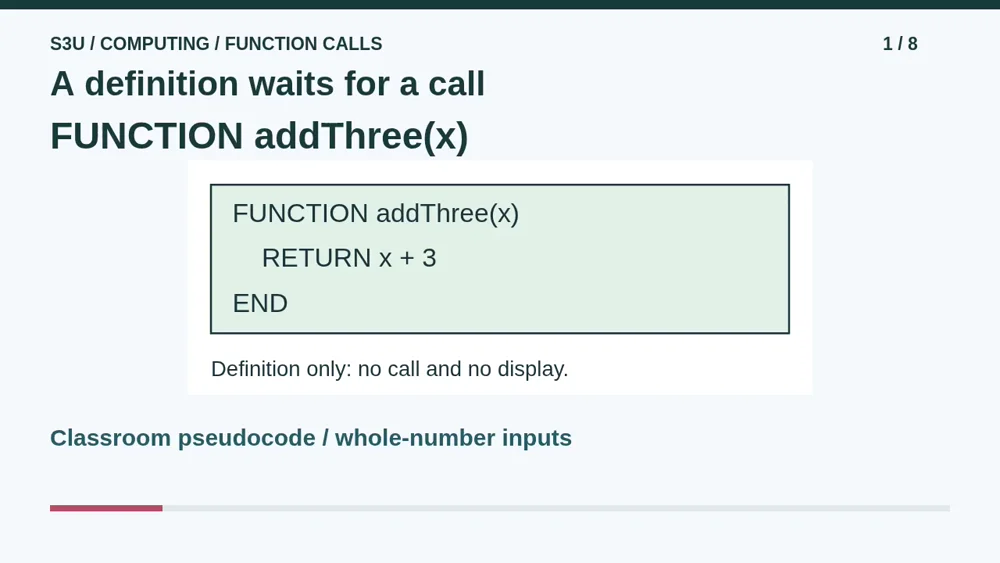
Imagine a tiny calculation desk with one job: add three to a whole number. Our classroom pseudocode names that job addThree. Its definition says: function addThree with input x, return x plus three, end. The definition describes what a later call will do. It does not run the calculation by itself. Naming a sandwich recipe does not make lunch appear, and naming this function does not display a number.
2. Send a value into the call
Video: 0:32
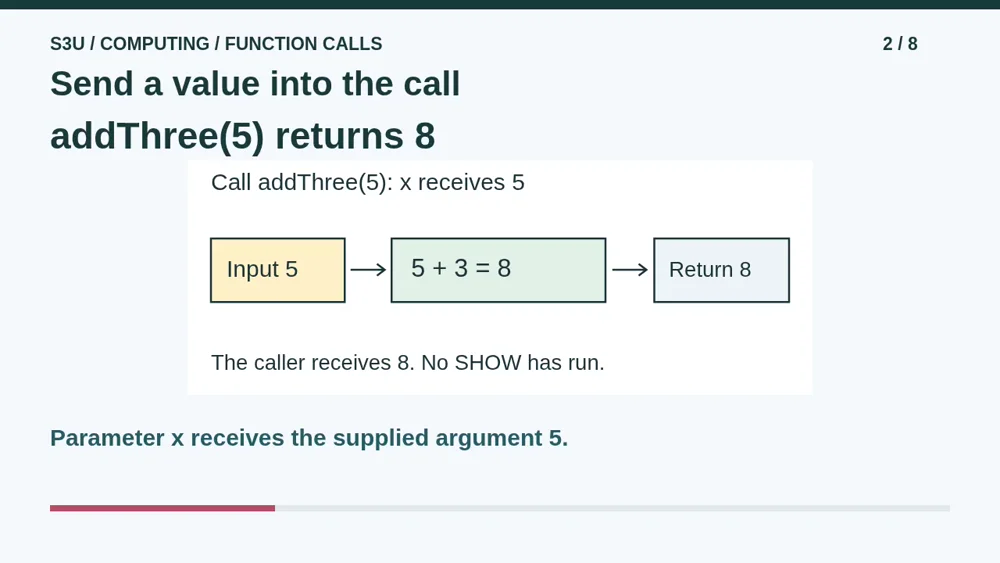
Now call addThree with five. The name x is the parameter: a placeholder inside the definition. Five is the argument: the value supplied for this call. For this call, x has value five. The return expression becomes five plus three, so the function returns eight to its caller. The word return means pass the result back. It does not mean show the result on the screen.
3. Store first, display when asked
Video: 1:02
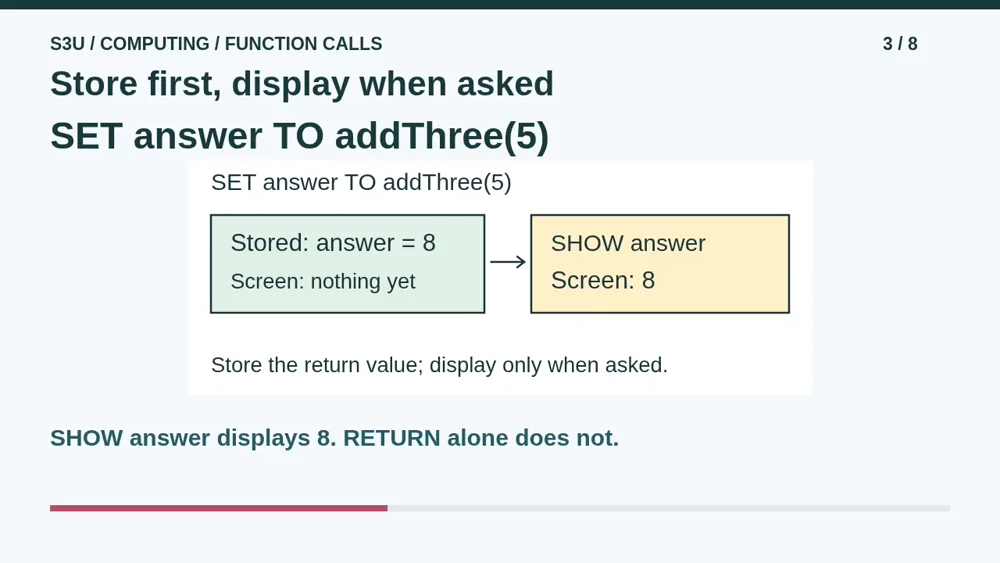
The caller can keep the returned value. Set answer to addThree with five stores eight in answer. At this point nothing in our example has displayed a number. A separate instruction, show answer, displays eight. Keep three actions separate: calculate inside the function, store the returned value, and display when a show instruction runs. A calculator that quietly returns a useful result has not forgotten its job.
4. Each call uses its own input
Video: 1:34
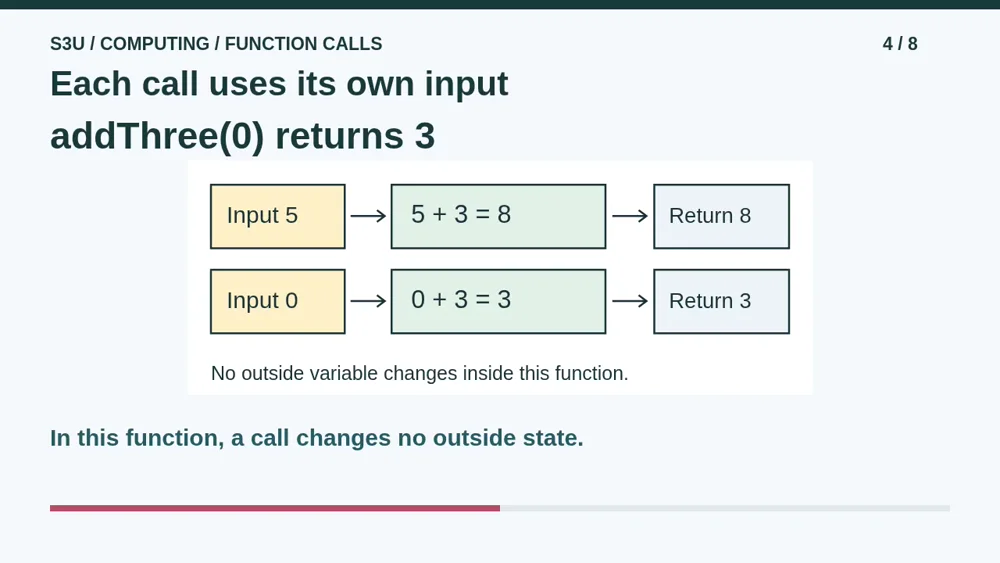
Call the same function with zero. This time x is zero, so the result is three. The earlier call with five does not force every later result to be eight. In this simple function, each call uses its supplied input and changes no outside state. If answer already stores eight, making a separate call does not change answer unless the caller assigns a new value to it.
5. Pause: trace two different calls
Video: 2:02
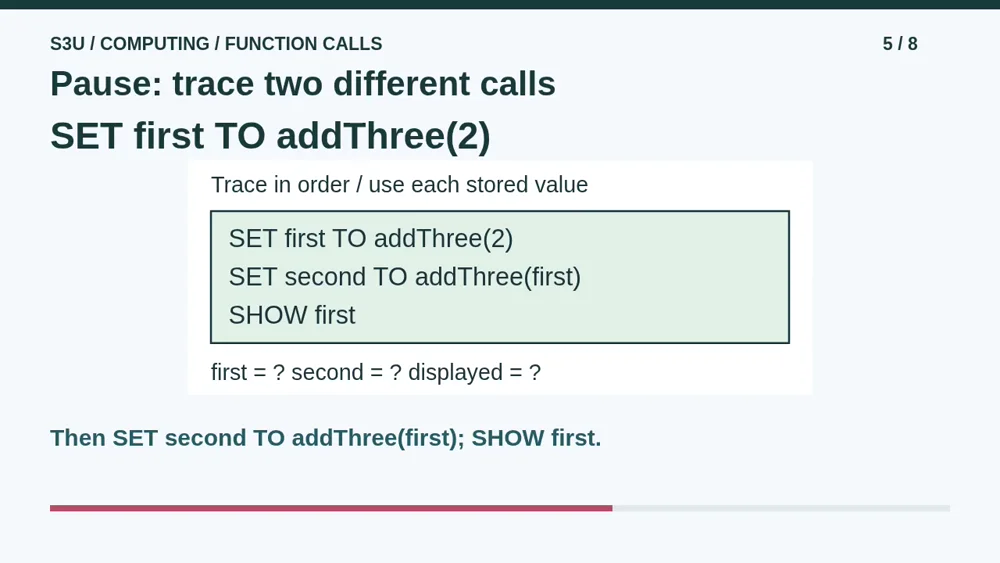
Try tracing three instructions. Set first to addThree with two. Next, set second to addThree with first. Finally, show first. Pause and work out the values stored in first and second, then decide which number is displayed. Write a small table or explain aloud. In the second instruction, first means its stored value, not the letters in its name. The last instruction asks for first, not second.
6. Check the value and the display
Video: 2:34
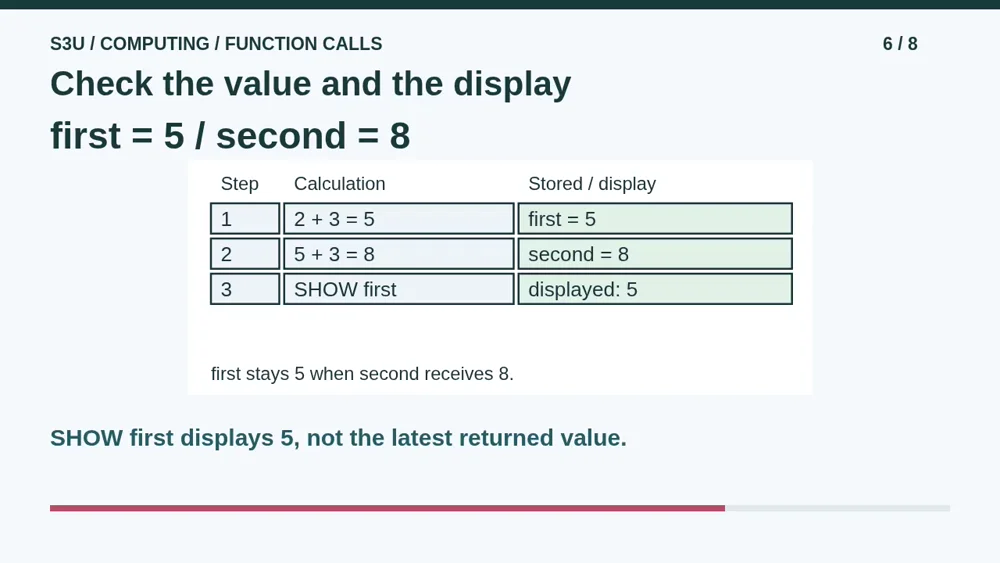
The first call adds three to two and returns five, so first stores five. The second call receives that five and returns eight, so second stores eight. First still stores five. Show first therefore displays five, not eight. The most recent return value does not automatically become the display. If your answer was eight, check which variable the show instruction actually names, then trace the three instructions again.
7. One result can feed another call
Video: 3:05
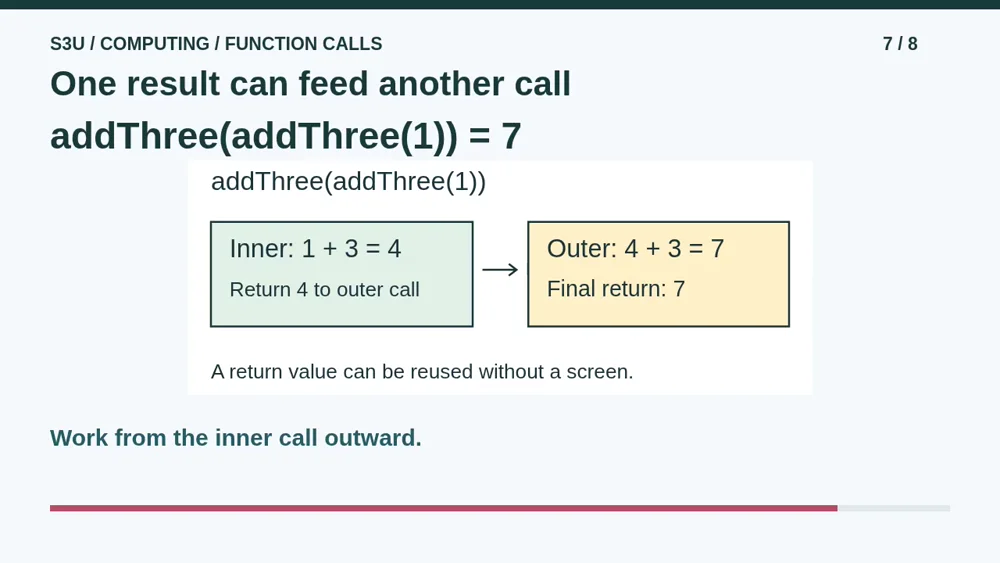
Fun fact: a returned value can become the input to another call without being displayed in between. For addThree of addThree of one, begin with the inner call. One plus three returns four. The outer call receives four, adds three and returns seven. This is the same calculation as keeping the intermediate four in a temporary variable. It still does not display anything unless a separate show instruction requests it.
8. Continue to the worksheet
Video: 3:38
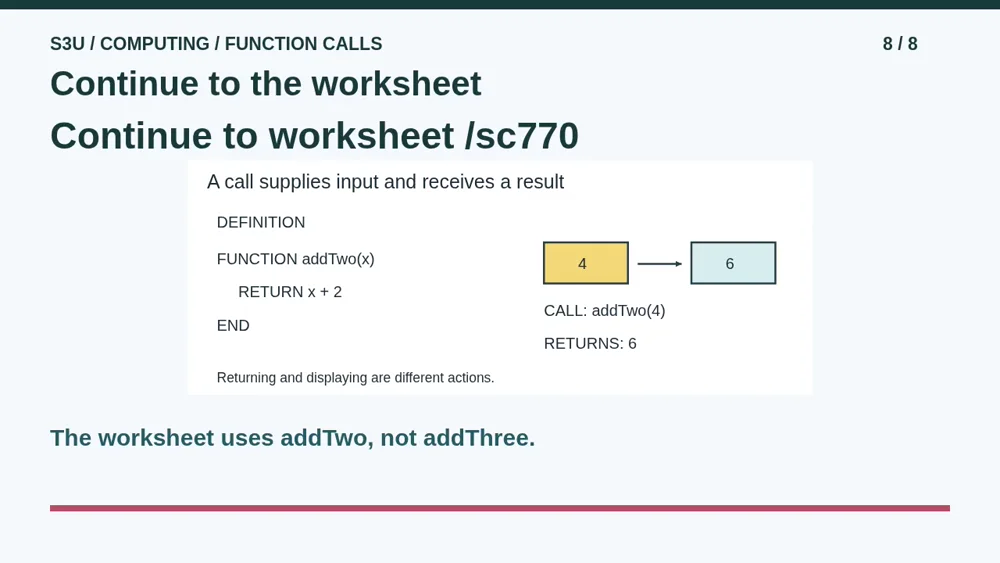
Continue to the worksheet below. Its function is named addTwo and adds two, so do not copy our addThree results. For each question, identify the supplied input, substitute that value into the return expression, and track where the result goes. Decide separately whether a show instruction runs. These paper examples introduce calls and returned values; they are not a complete programming language or a promise that every real function avoids outside changes.
Show your understanding
You can point, explain aloud, draw or write.
- Distinguish a definition from a call, substitute the argument for the parameter and trace a returned value into an assignment.
- Explain which value SHOW displays after separate or nested calls, without claiming every real function is free of side effects.
Try it yourself
Pause to trace first and second, then identify the exact variable that SHOW displays. A new call does not silently change an earlier stored value.
Continue to the worksheet. Its function adds two, not three; read its definition before tracing. These are paper pseudocode examples, not executable site commands.
Next: your worksheet
Programming Basics: Call a Functionhttps://s3u.com/sc770
Lesson: https://s3u.com/lessons/follow-a-function-call