Science / Grade 8
Find the local network
Learning goal: Read /24, /25 and /26 address blocks, choose unused hosts, and decide whether a message stays local or needs a gateway.
Before you start: Recognize an IPv4 address and a gateway. Count inclusive whole-number ranges and powers of two; the lesson supplies block sizes. This is a paper model, not device setup.
Read or print this lesson What to practiceThe video could not load. The transcript is still available below.
Next: your worksheet
Subnet Blocks: Choose an Unused Address
Checking sign-in...
Read the transcript
Saved reading place
Video transcript and practice. Reading or printing does not count as playback time or an assessed grade.
1. An address needs a boundary
Video: 0:00
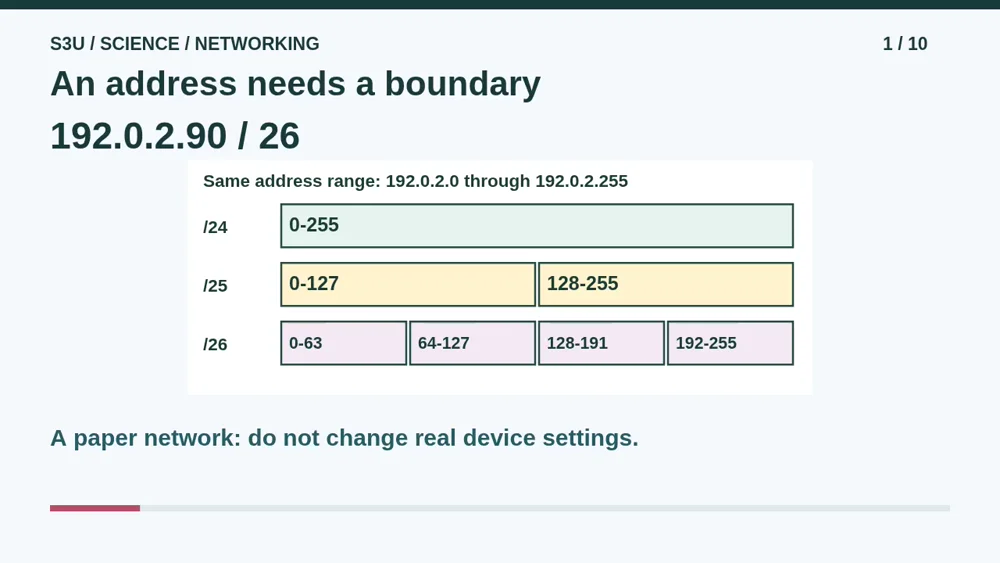
Our imaginary workshop needs to send a message. Its laptop has an address and a prefix length, shown after the slash. The address identifies an interface. The prefix tells us which address block it belongs to. Similar-looking addresses are not always on the same local network. We will use a paper model with one local connection and one gateway, with no extra routes. No scanning, passwords or changes to a real device are needed.
2. A bigger prefix, a smaller block
Video: 0:34
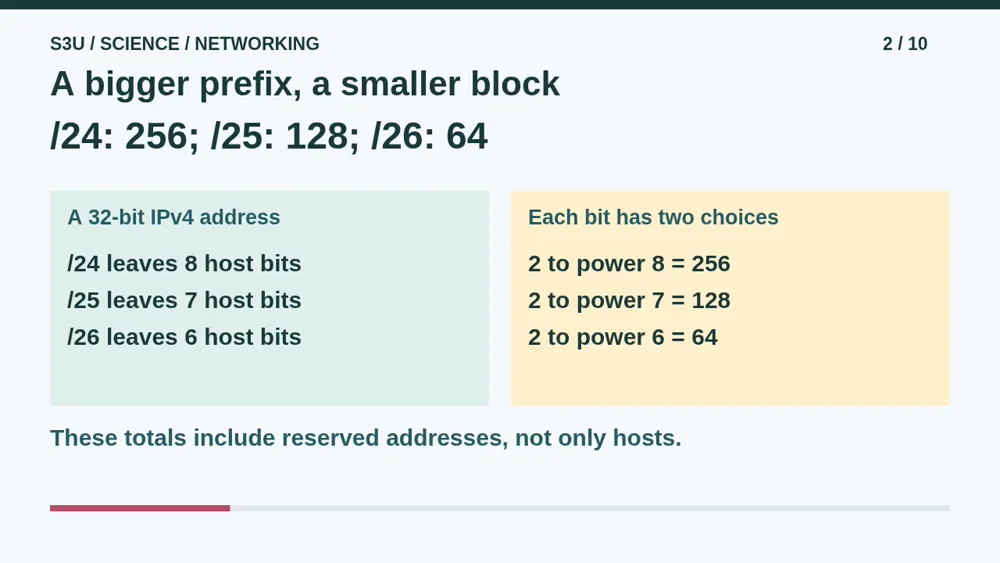
An IPv4 address has thirty-two bits. Each bit has two possible values. Slash twenty-four fixes twenty-four network bits and leaves eight host bits. Eight binary choices give two hundred fifty-six addresses. Slash twenty-five leaves seven host bits, giving one hundred twenty-eight. Slash twenty-six leaves six, giving sixty-four. A bigger prefix number leaves fewer choices, so the block gets smaller. These totals include reserved addresses. They are not counts of available laptop addresses.
3. Mark the blocks before choosing
Video: 1:13

In this example, the first three numbers stay one ninety-two, zero, two. Look at the last number. Slash twenty-six splits this range into four blocks of sixty-four: zero through sixty-three, sixty-four through one hundred twenty-seven, one hundred twenty-eight through one hundred ninety-one, and one hundred ninety-two through two hundred fifty-five. Our laptop ends in ninety, so it belongs to the second block. Do not start a new block at ninety just because the laptop lives there.
4. Reserve the two ends
Video: 1:48
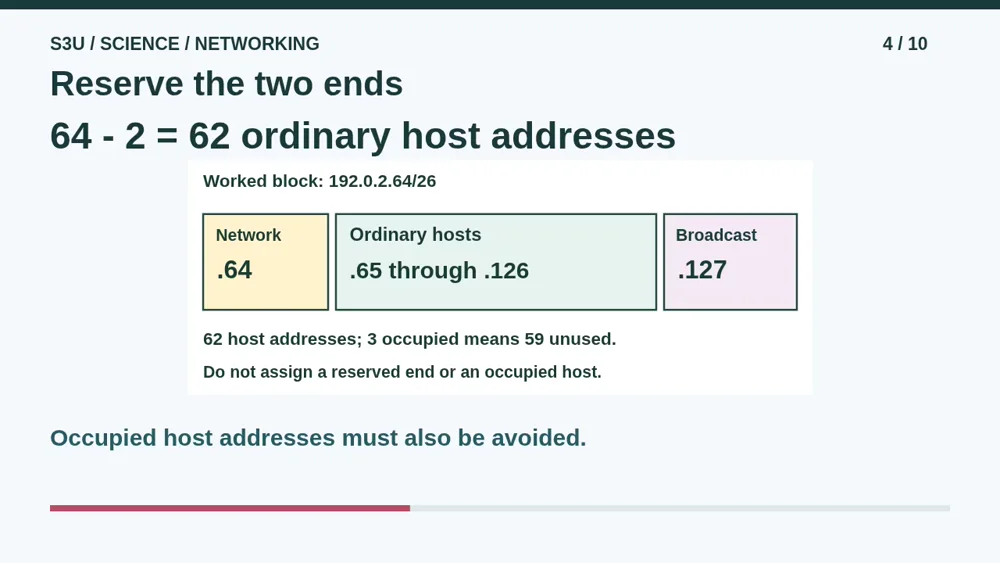
For the ordinary slash twenty-six network in our model, the first address names the network. The last is its broadcast address, not one laptop. In the block starting at sixty-four, those ends are sixty-four and one hundred twenty-seven. Host addresses run from sixty-five through one hundred twenty-six. That is sixty-two host addresses. Some may already be occupied. If three are occupied, fifty-nine remain unused. These rules cover our ordinary networks, not special slash thirty-one point-to-point links.
5. Local destination or gateway?
Video: 2:28
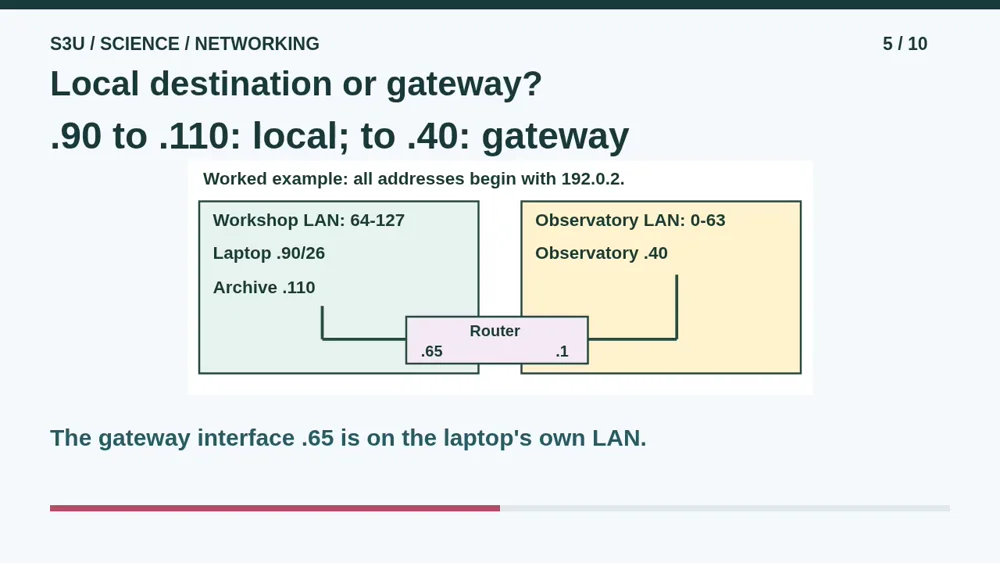
Our laptop ends in ninety, using slash twenty-six. Archive ends in one hundred ten on the same local network, so the laptop sends locally. Observatory ends in forty on another network. It needs the gateway, the router interface ending in sixty-five on our own network. The router has another interface on the far network. Both directions and all services are working in this model. Choosing a route alone is not proof that a real page will load.
6. Pause: investigate another laptop
Video: 3:03
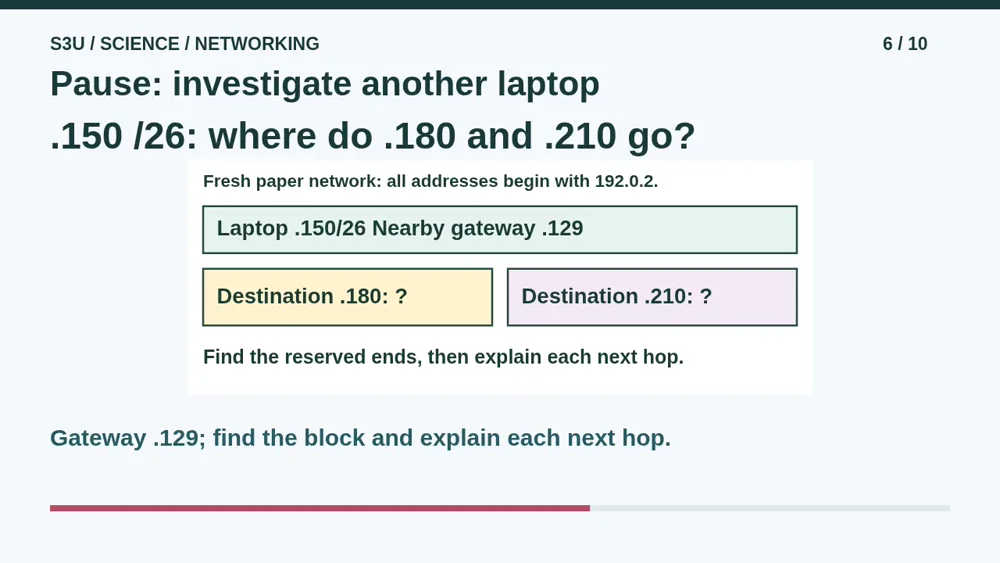
Pause for a new paper network. All addresses still begin with one ninety-two, zero, two. The laptop ends in one hundred fifty and uses slash twenty-six. Its nearby gateway ends in one hundred twenty-nine. One destination ends in one hundred eighty; another ends in two hundred ten. Find the laptop block, including its two reserved ends. Which destination is local? Which needs the gateway? Explain using the block boundaries before continuing to the answer.
7. Check the boundary, then the route
Video: 3:41
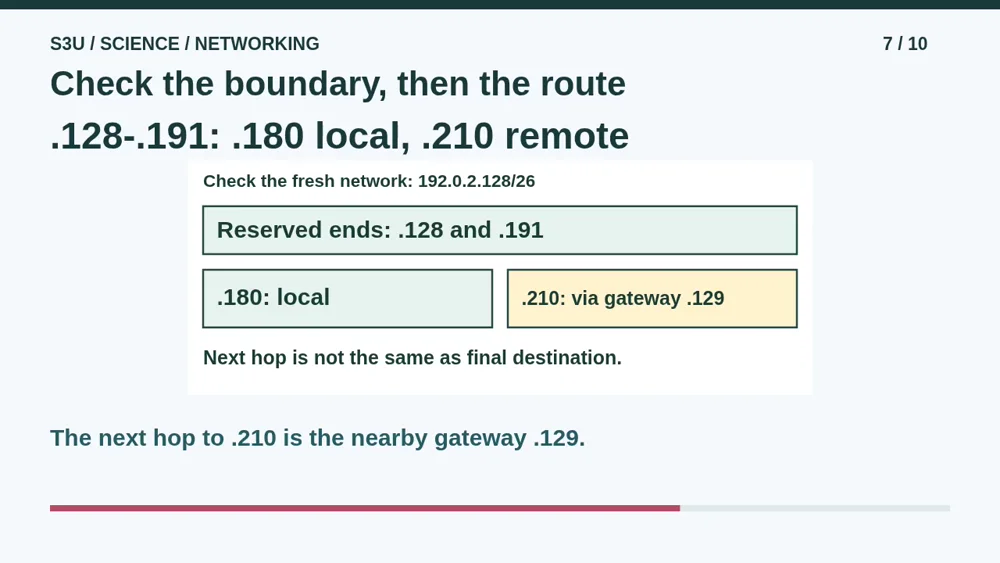
One hundred fifty belongs to the block from one hundred twenty-eight through one hundred ninety-one. The two end addresses are reserved in our ordinary network. One hundred eighty is an ordinary host inside that block, so it is local. Two hundred ten belongs to a different block. Send toward the nearby gateway ending in one hundred twenty-nine. The gateway is not the final destination. It is the next stop that can pass the message onward in this simplified model.
8. The wrong mask invents a neighbor
Video: 4:16
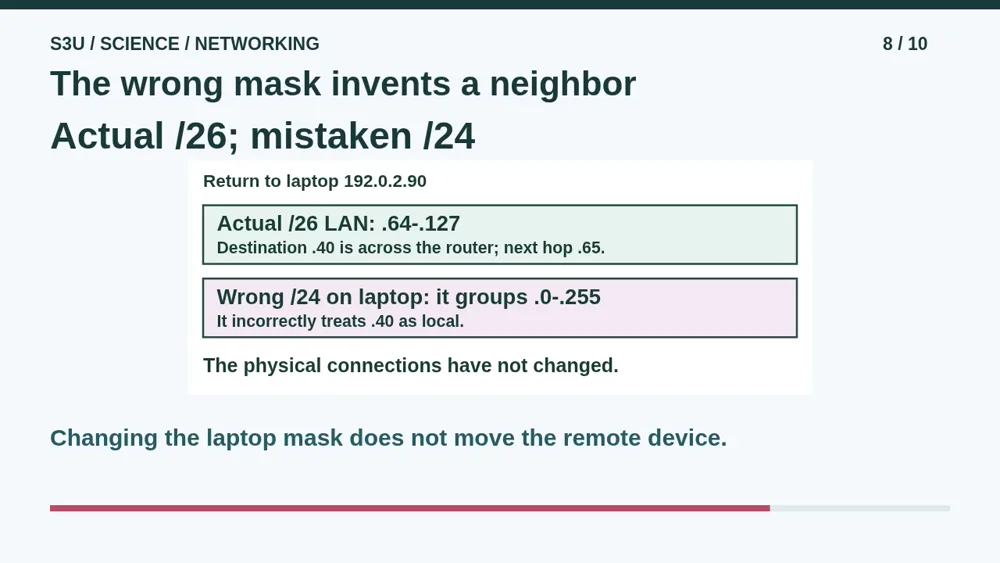
Return to the laptop ending in ninety. The actual local network is still the block from sixty-four through one hundred twenty-seven. Suppose only the laptop is mistakenly set to slash twenty-four. It now treats the address ending in forty as local. But that device is still across the router. Changing the label did not teleport it into the workshop. Restore the correct prefix in the game so the laptop chooses the gateway. Do not experiment with real device settings.
9. Fun fact: addresses for examples
Video: 4:52
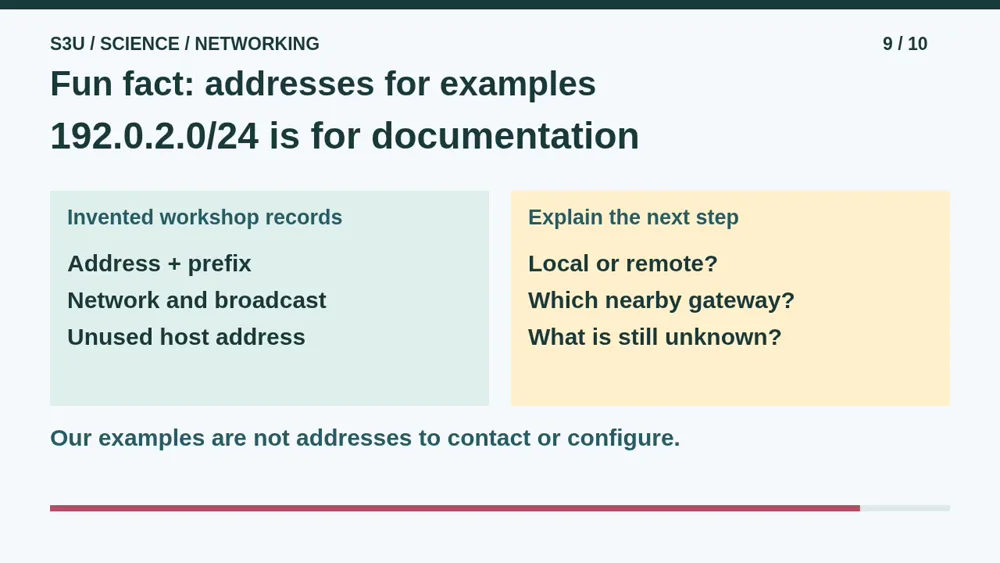
Fun fact: some address blocks are reserved for documentation, including the one used here. That lets a lesson show concrete addresses without borrowing an organization's real public addresses. They are not addresses to contact or assign to your own devices. Our model leaves out address discovery, automatic configuration, firewalls and many other details. A correct address and route are necessary pieces in this exercise, not a guarantee of delivery or security on a real network.
10. Continue to the worksheets
Video: 5:29
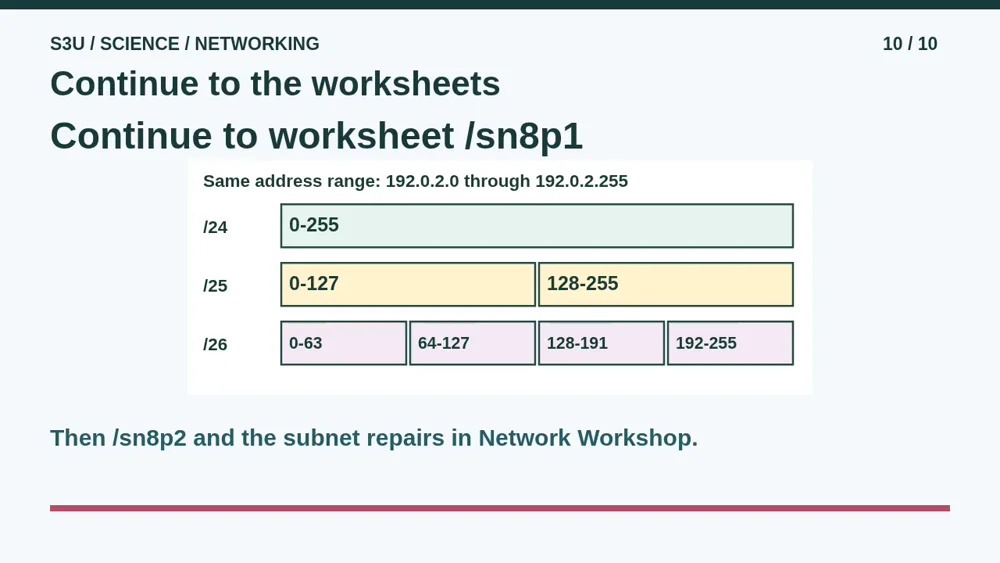
Continue to the first worksheet to practice reserved ends, host counts and an unused address. Then use the second worksheet to decide which messages stay local and which use the gateway. Each sheet has its own records. Afterward, try the subnet repairs in Network Workshop. Give a reason for each repair, not just a guess until the lights turn green. Watching the video does not establish mastery. Your explanations and fresh practice show what you can actually use.
Show your understanding
You can point, explain aloud, draw or write.
- Find aligned /24, /25 and /26 blocks, reserve their ends and distinguish host capacity from unused addresses.
- Explain local versus gateway next hops and how an incorrect laptop prefix can misclassify a remote destination.
Try it yourself
Pause at laptop .150/26. Find its block and explain the next hop to .180 and .210.
Continue to both worksheets, then the subnet repairs in Network Workshop. Use only the invented records; do not change real device settings.
Next: your worksheet
Subnet Blocks: Choose an Unused Addresshttps://s3u.com/sn8p1
Lesson: https://s3u.com/lessons/find-the-local-network