Science / Grade 7
Network delay and capacity
Learning goal: Separate name lookup from service access, compare latency and bandwidth, and state the limits of ideal transfer calculations.
Before you start: Compare numbers with matching units, subtract delays and divide a size by a fixed rate. All paths and measurements are fictional.
Read or print this lesson What to practiceThe video could not load. The transcript is still available below.
Next: your worksheet
Names, Addresses and Network Delays
Checking sign-in...
Read the transcript
Saved reading place
Video transcript and practice. Reading or printing does not count as playback time or an assessed grade.
1. Finding an address is one step
Video: 0:00
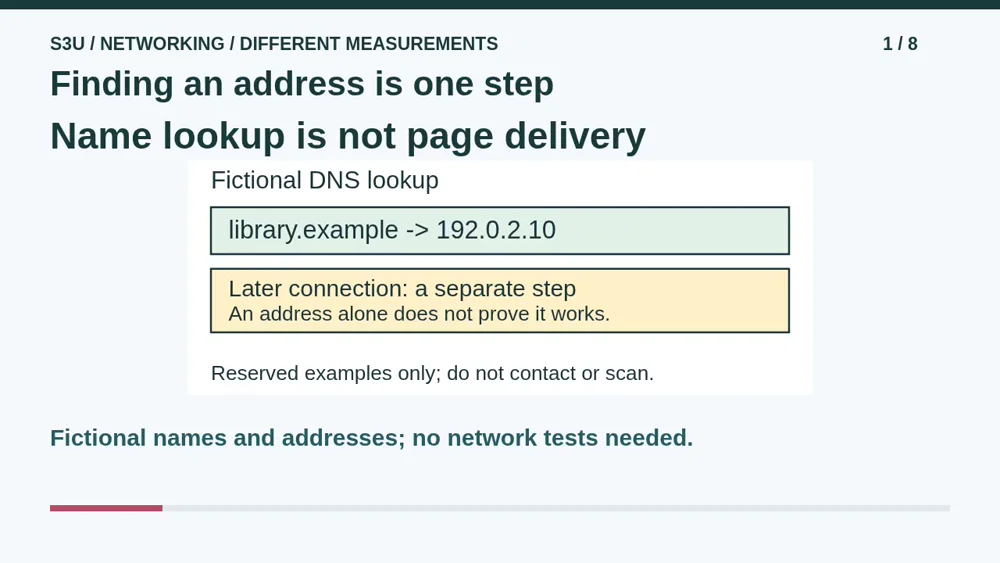
Imagine a fictional library service named library dot example. A name lookup can provide an address such as the one in our diagram. DNS supports that translation, but a successful lookup does not prove the library service will answer a later connection. Finding a street address does not force its door to open. Our names and addresses are reserved teaching examples, not places you need to visit or scan.
2. Keep the stages separate
Video: 0:32
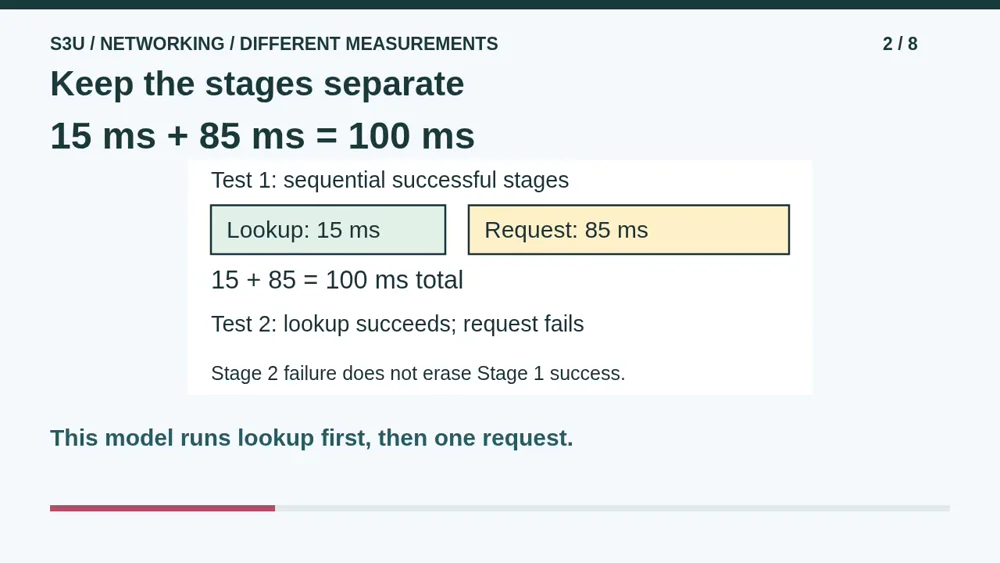
In our first invented test, lookup takes fifteen milliseconds. After it finishes, one request takes another eighty-five milliseconds and succeeds. Because these stages are sequential, the total is one hundred milliseconds. In a second test, lookup succeeds but the request fails. That does not turn the successful lookup into a failure. Real systems can cache results or do work in parallel, so this simple addition describes our stated model, not every page load.
3. Latency measures delay
Video: 1:07
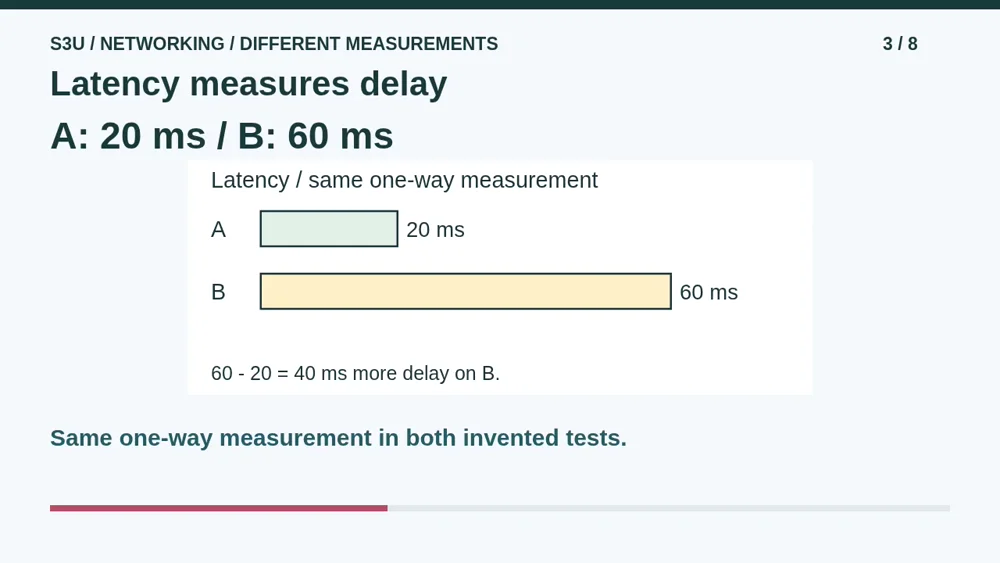
Now compare two fictional paths. In the same one-way delay measurement, path A has twenty milliseconds of latency and path B has sixty. A has less delay, and B has forty milliseconds more. A millisecond is one thousandth of a second. This measurement says how long the stated trip takes, not how much data the path can carry each second. Always compare the same kind of measurement; one-way delay and round-trip delay are not interchangeable.
4. Bandwidth measures capacity
Video: 1:41
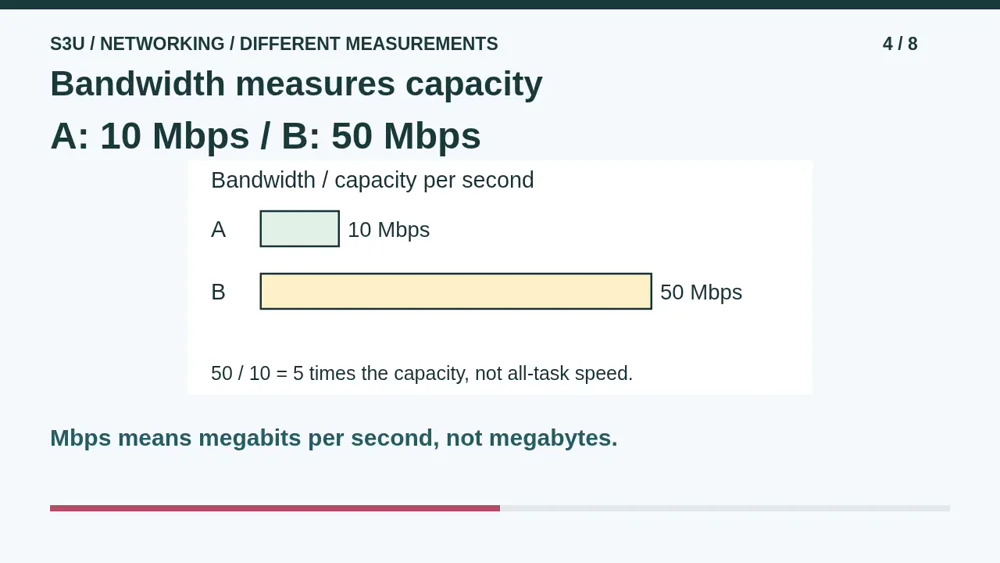
The same paths have different data-carrying capacities. A is listed at ten megabits per second and B at fifty. B has five times the bandwidth in this example, but it still has the larger delay from our previous comparison. More capacity does not make those sixty milliseconds vanish. Actual delivered data per second is throughput and can be lower than the listed capacity. Delay and capacity answer different questions; neither number alone names the best path for every task.
5. Pause: compare two new paths
Video: 2:18
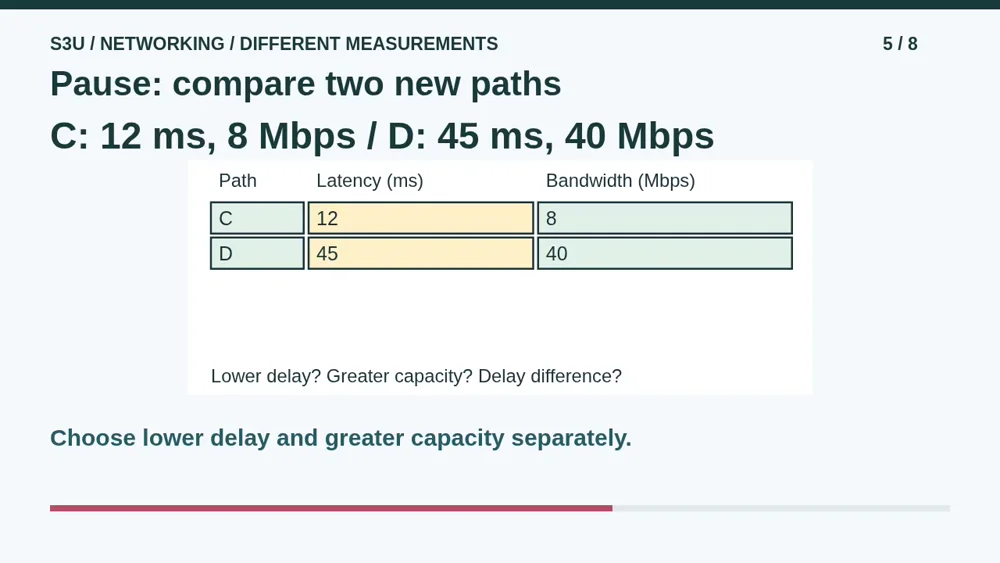
Try two fresh paths measured the same way. C has twelve milliseconds of latency and eight megabits per second of bandwidth. D has forty-five milliseconds and forty megabits per second. Pause and answer three questions. Which path has less delay? Which has greater capacity? How much greater is D's delay than C's, in milliseconds? Do not subtract milliseconds from megabits per second. That would mix two different kinds of quantity.
6. Two answers can both be right
Video: 2:54
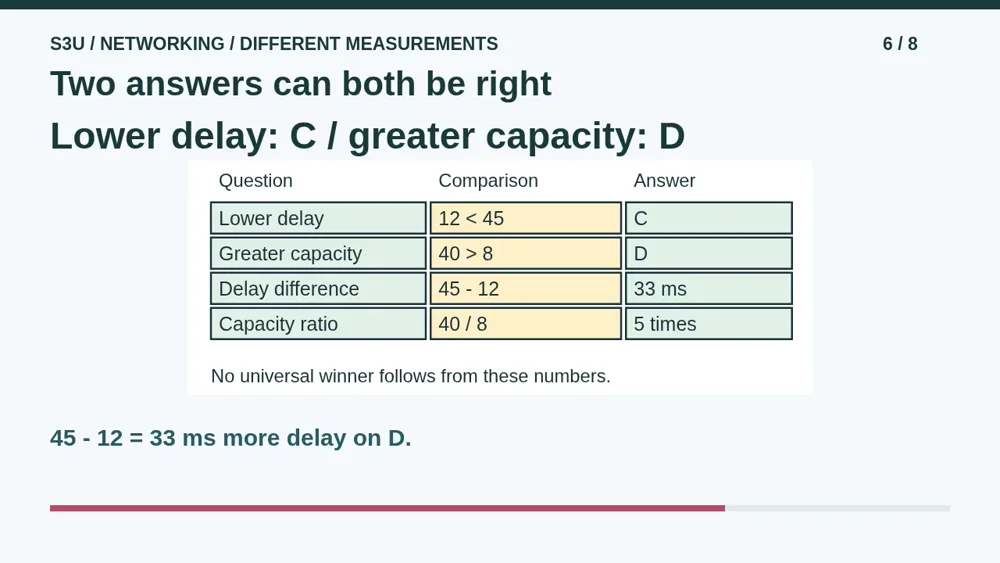
C has the lower latency because twelve is less than forty-five. D has greater bandwidth because forty is greater than eight. Its delay is forty-five minus twelve, or thirty-three milliseconds greater. D has five times the listed capacity, but that does not mean every action is five times faster. We have not measured service processing, congestion or actual throughput. State the comparison the numbers support without inventing a universal winner.
7. Bigger transfers take more time
Video: 3:29
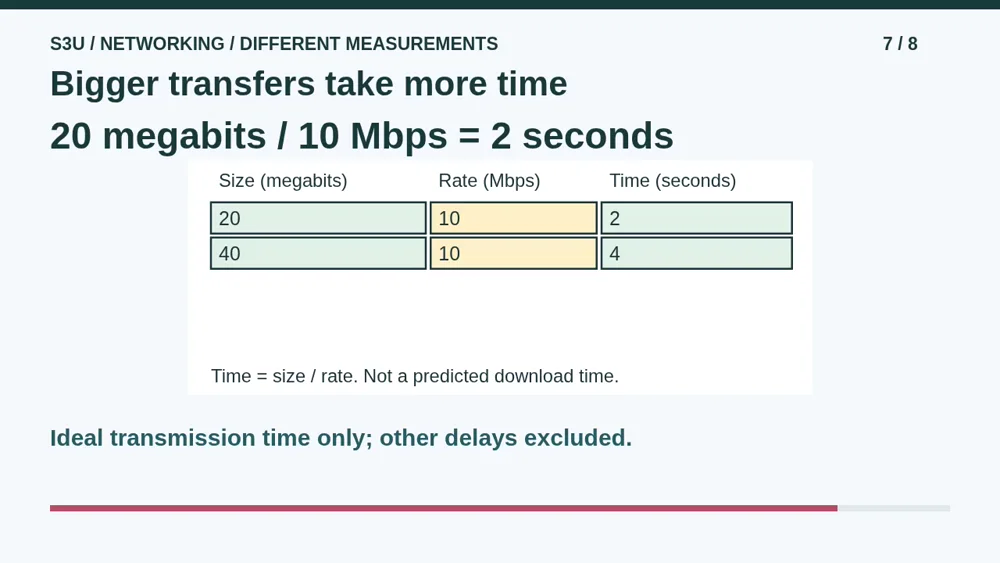
Fun fact: at a fixed ideal sending rate, making a transfer twice as large makes its transmission time twice as long. Twenty megabits at ten megabits per second takes two seconds to put onto the link. Forty megabits takes four seconds. This calculation excludes lookup, travel delay, overhead, waiting and service processing. It is not a predicted download time. Keep bits separate from bytes, and notice how the units give seconds when size is divided by rate.
8. Continue to the worksheet
Video: 4:05
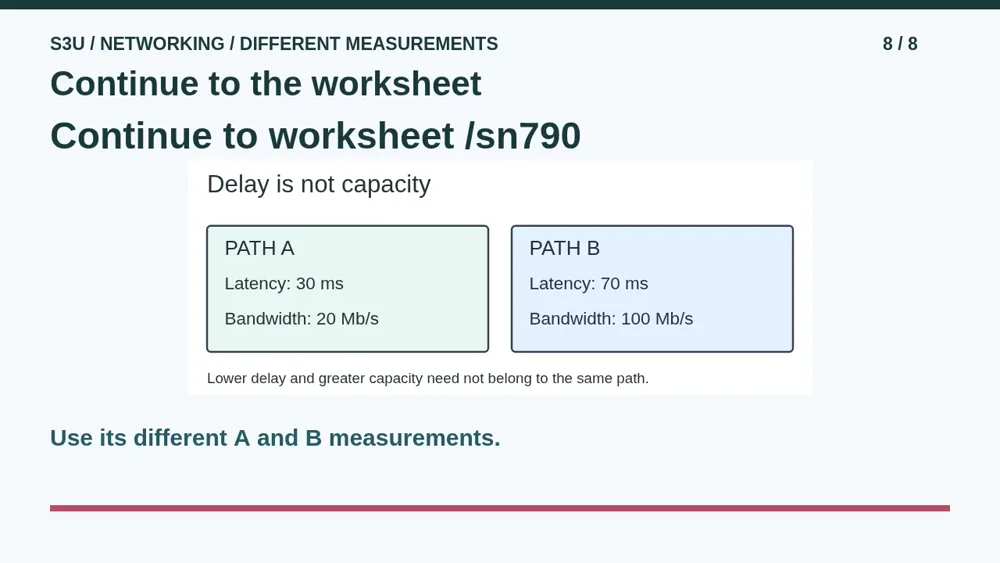
Continue to the worksheet below. Its paths have different measurements, so read them again before answering. Separate finding an address from reaching a service, delay from capacity, and the measured facts from things we do not know. The Network Workshop game also lets you repair a fictional connection and inspect which stage failed. These are paper and browser models. Do not scan a real network, guess passwords or change device settings to complete them.
Show your understanding
You can point, explain aloud, draw or write.
- Separate name lookup from service access, identify the failed stage and compare latency separately from bandwidth.
- Calculate delay differences and ideal transmission time while excluding unsupported claims about throughput or total download time.
Try it yourself
Pause at paths C and D. Identify lower delay and greater capacity separately, then calculate their latency difference.
Continue to the worksheet with its own measurements, then try Network Workshop. Do not scan real networks or change settings.
Next: your worksheet
Names, Addresses and Network Delayshttps://s3u.com/sn790
Lesson: https://s3u.com/lessons/delay-and-capacity